
How to add another Employer to your Facebook profile (second job)
The previous tutorial explained how to add employers, jobs and positions on your Facebook profile, and we showed you how to add a position, either current, or an employer you've worked for in the past. But can you add another employer / second job to your Facebook profile? The answer is Yes! and this free Facebook tutorial explains how to put multiple jobs and even several positions at the same employer on your profile.
Add another employer and multiple jobs on Facebook
Follow these steps to list more than one job on your Facebook profile:
 If needed, start by logging into your Facebook account.
- Once you have signed in, click on the "Home" link at the top.
- Then, click on the "Edit My Profile" link you see just under your profile picture.
- Facebook will bring you to your account settings, from where you can edit your professional information and work experience.
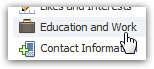 Now click on the "Education and Work" tab / link on the left.
- You will now see your High School information, College / University information, and "Employer" at the bottom - this is where Facebook collects your employment information.
- If you have already added an employer and job position, it will be listed right here.
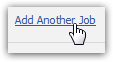 To add another job with the same company, or a previous work experience with a different employer, just look for the "Add Another Job" link right below the current position you have listed on your profile.
- When you click on it, Facebook will show you the exact same for you can fill in about the new jobs you want to add on your Facebook page.
- Just follow the instructions we posted about adding a job on your Facebook profile, if you need help; the process of adding a single job or multiple jobs is the same.
- If you want to display yet another job on your profile, just click on the Add Another Job link again.
 And once you have finished adding all the positions you want to show for your work experience, click on the "Save Changes" button at the very bottom of that screen; your Facebook profile will be immediately updated to reflect the new employers or another job you just added!
This is all it takes to add several jobs and employers on your Facebook profile! You can now use your favorite social networking site as an online resume all for potential employers to see.
Facebook Tutorial 
- Customize and Edit Facebook Profile Tutorials:
- Edit / change your Facebook profile information
- Change Facebook email address
- Change Facebook password
- Show, hide, or add your gender on your Facebook profile
- Add or remove "interested in men / women" on your Facebook profile
- Update the "Looking For" settings on your Facebook profile
- Add, remove, or change your Current City in your Facebook profile
- Add or remove Hometown on your Facebook profile
- Add your birthday on Facebook + Customize birth date display settings
- Show, hide, update or add Political Views on your Facebook profile
- Remove, update, add Religious Views on Facebook profile (your religion)
- Add a mini bio on your Facebook profile (biographical information about you)
- Add a quote on your Facebook profile + Edit Favorite Quotations
- Add, remove, or update Employer / job information on your Facebook profile
- Add another Employer to your Facebook profile (second job)
- Remove or add your High School name on your Facebook profile
- Remove or add College or University name + degree on Facebook profile
- Add a second college or university on your Facebook profile (another school)
- Hide updates on your Facebook account profile (Delete Recent Activity)
- Change Facebook language settings
- Add languages you speak to your Facebook profile
These free Facebook tutorials were written for the new Facebook, and are updated with each latest version of your favorite social networking site on Windows and Mac.